Basic Coding Concepts: Same Idea, Three Syntaxes!
Basic Coding Concepts is the dialect-free way to learn programming. Most beginner sites teach you Python. Or JavaScript. Or Java. We show you the idea underneath all three, side by side, so you stop confusing what's the language and what's the concept. Once that clicks, every other tutorial gets easier.
// Same idea. Three syntaxes.
function greet(name) {
  return `Hello, ${name}!`;
}

# Python
def greet(name):
    return f"Hello, {name}!"

// Java
public static String greet(String name) {
  return "Hello, " + name + "!";
}
Why Basic Coding Concepts Beats the Other "Learn to Code" Sites.
We rebuilt every Basic Coding Concepts lesson with one rule: nothing here can be a copy of anything else. Every page is original, examples are real, and the visualizers actually run.
Live, animated visualizers
Step through a loop one iteration at a time. Watch variables flow into boxes. See the call stack grow and unwind. Real animations — not screenshots.
One concept, three languages
Every example renders in JavaScript, Python, and Java. Toggle a tab — your choice persists everywhere on the site.
"Common bugs" pages
Each concept has a dedicated page of the bugs beginners actually hit. Copy-paste real broken code, see the fix, move on.
Spot the Bug — the game
A built-in mini-game with rotating buggy snippets. Click the line you think is wrong. Score persists.
Concept in 60 seconds
Every lesson opens with a 60-second TL;DR card. Skim 13 of those and you have the shape of programming.
Interview-ready answers
50 beginner-friendly interview questions with the kind of answer that actually lands the job, mapped to each concept.
The 13 Basic Coding Concepts, in Order.
One path, thirteen concepts — each builds on the last. Skip none.
Watch a For-Loop, Step by Step.
Click Step to advance one line at a time. Watch the variables update and the console fill in.
This same visualizer is embedded in the Loops lesson. Variants for variables, function calls, and recursion live on their respective lesson pages.
🐛 Spot the Bug
Five seconds of work. Click the line you think contains the bug — the explainer tells you why.
Basic Coding Concepts vs. Everyone Else.
Where the typical "intro to coding" site falls short — and what we built instead.
| Feature | Most "intro to code" sites | Basic Coding Concepts |
|---|---|---|
| Languages shown side by side | 1 (usually JS) | 3 (JS · Python · Java) |
| Working interactive visualizers | Promised, rarely real | 4 — loop, variable, call stack, spot-the-bug |
| "Common bugs" reference per concept | None | 13 dedicated pages |
| Interview-question library | None | 50+ Qs mapped to concepts |
| Mini-project tutorials | 0–2 | 5 buildable in < 1 hr each |
| Author identity / E-E-A-T | "Editorial team" | Two named authors, dated reviews |
| Sign-up required | Often, eventually | Never |
| Ads, upsells, "premium" | Yes | None |
What Learners Say.
The three-language tabs broke something in my brain — in a good way. I finally see what's the language and what's the actual idea.
The loop visualizer is the single best teaching tool I've used. I made my whole bootcamp cohort use it.
Common Bugs page for variables saved me an hour of confusion in week one. Should be required reading.
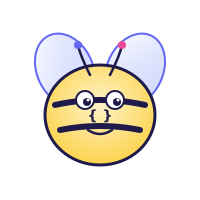
Meet Bee, Our Debugger-in-Chief 🐝
She shows up on hard pages to flag bugs Mark and Tom have personally watched 100+ students hit. When you see her, slow down — she's pointing at something most beginners miss. More about Bee →